Back to ProjectsEasy Peasy
No sign-in required
Easy Peasy
Downloads!
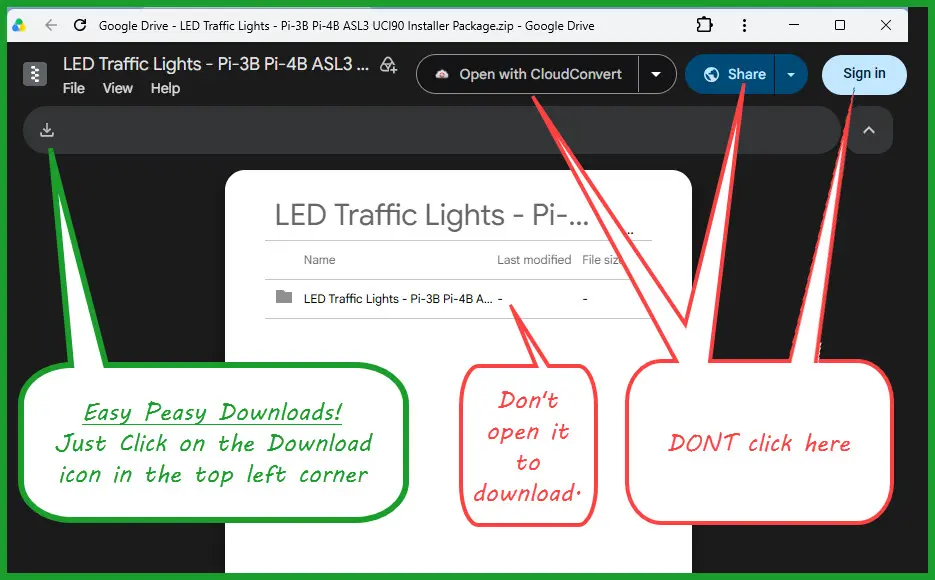
Google puts several tempting buttons on the screen. For W3ICQ project files, there is only one button you need.
Click the download icon in the upper-left corner.
Do not click “Open with,” “Share,” or “Sign in.” You can download the project file without a Google account.