Write one tested image to microSD, complete a friendly browser form, and begin with the operating system, ASL3, three dashboards, audio settings, weather, and optional digital voice already assembled.
Write the image. Fill in the form. Put the node on the air.
The prepared image replaces a long Linux build with a browser-guided appliance setup—while still delivering ASL3, three dashboards, spoken weather alerts, and optional DMR from one compact board.
Bare board to finished appliance
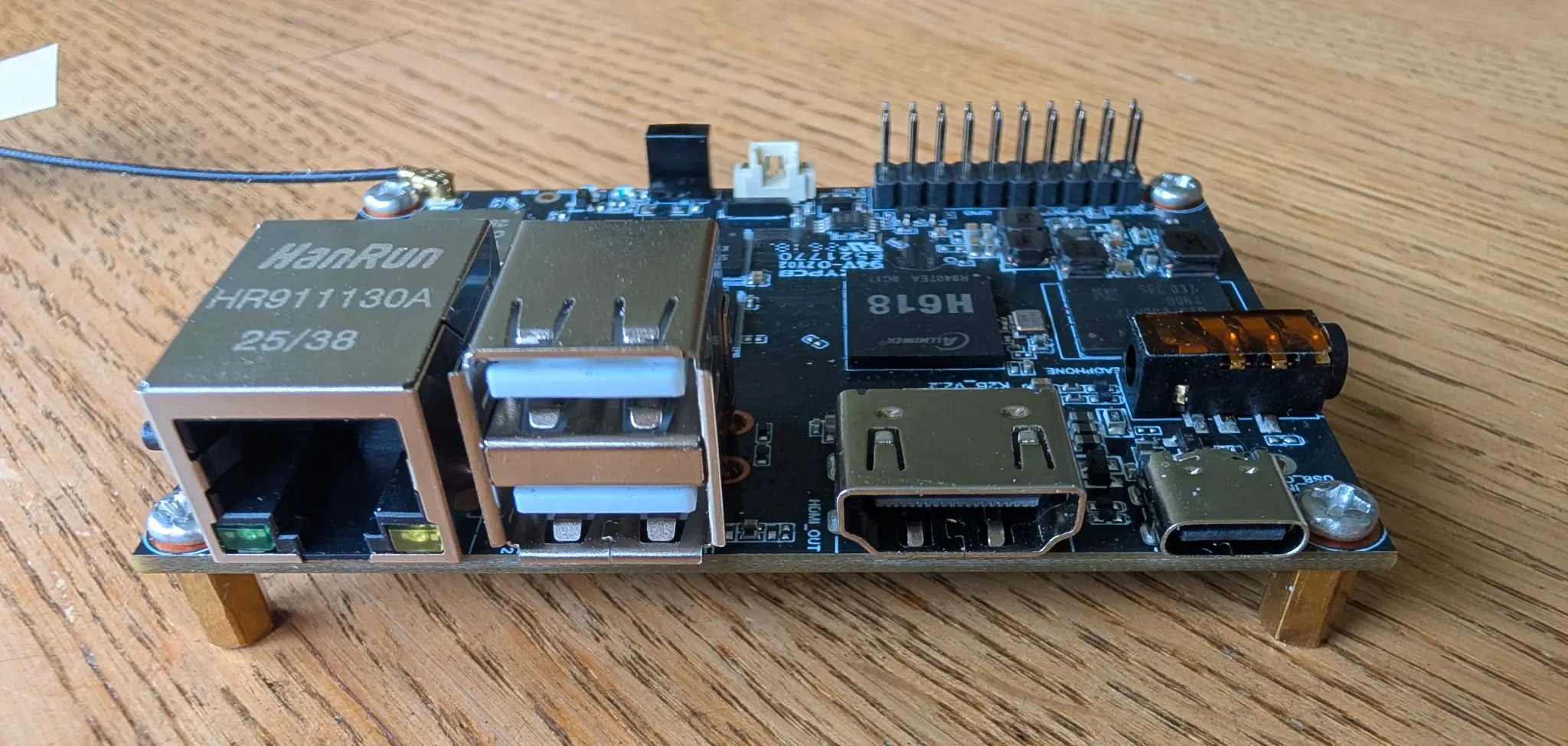
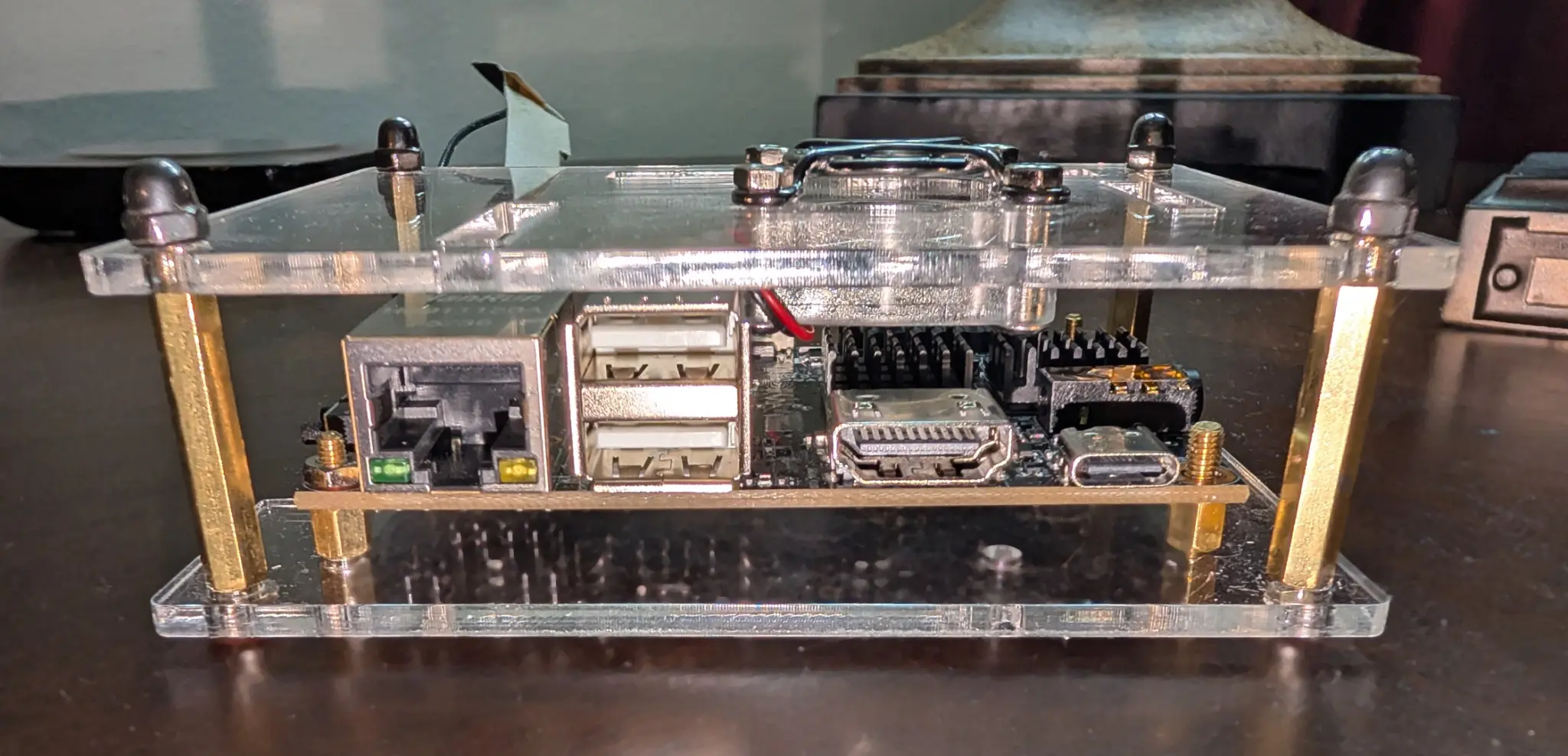
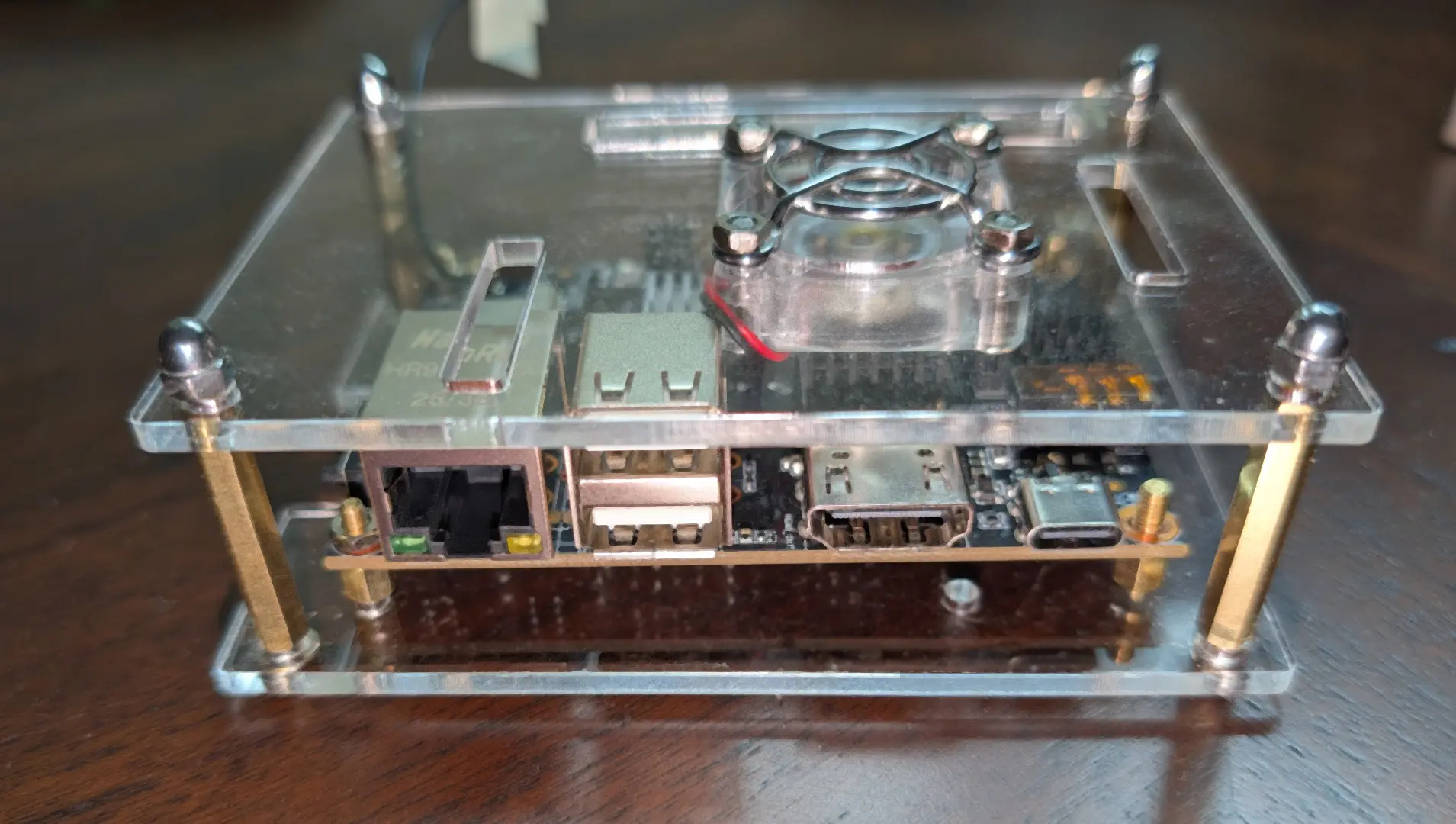
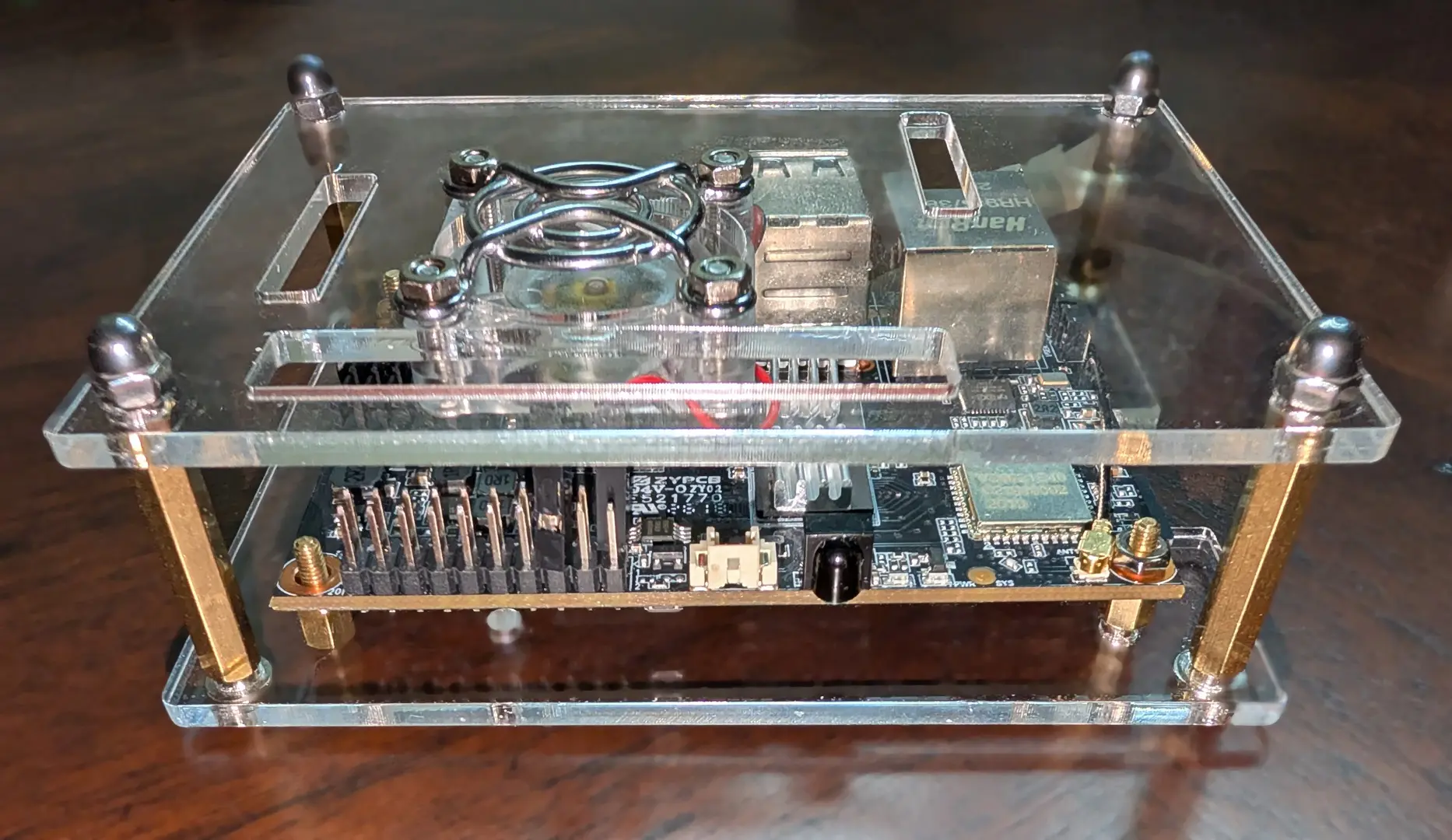
The K2B V2 keeps its connectors and cooling visible inside a generic Pi 4 clear enclosure—after a little creative drilling added the mounting holes it needed.
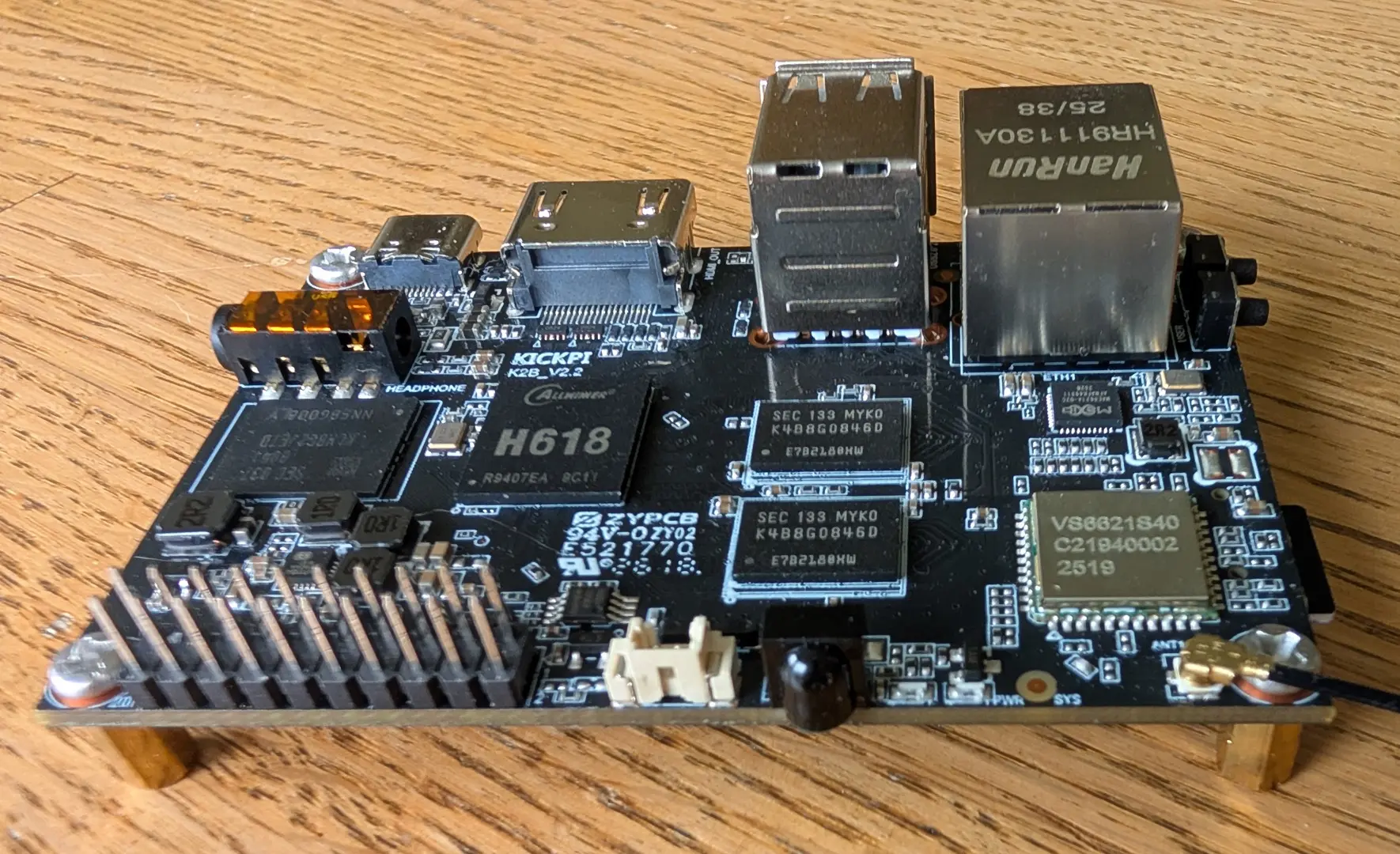
These five views document the exact board, connector layout, acrylic enclosure, active cooling, and service access used for the certified appliance image.
01
Compact connections, full-size capability
Ethernet, stacked USB-A, HDMI, USB-C power, audio, and GPIO make the K2B V2 unusually practical for a compact node.
02
The H618 platform revealed
The bare-board view shows the Allwinner H618 processor, memory, wireless hardware, headers, and connector layout used by the appliance.
03
The completed appliance
A clear acrylic enclosure protects the board while keeping the active cooling, connectors, and hardware visible.
04
Everyday ports remain accessible
The enclosure leaves wired Ethernet, USB-A, HDMI, USB-C power, and audio connections easy to reach.
05
Cooling and expansion remain visible
The opposite view documents the fan, GPIO header, wireless section, and open service access of the finished build.
The completed radioless audio path: AllScan UCI80 with the Retevis RS-112 speaker-microphone.
Project overview
KickPi K2B V2
A ready-to-write Debian 13 appliance image that turns the inexpensive KickPi K2B V2 into a radioless ASL3 node with three dashboards, optional spoken weather alerts, and optional DMR through DVSwitch Mobile.
FULL DUPLEX
Transmit and receive at the same time.
The USB communications interface supports simultaneous transmit and receive operation, making this a true full-duplex AllStarLink node—not merely a conventional simplex hotspot.
01
What was proven
Browser setup applied the operator settings successfully
Allmon3, AllScan, and Supermon 8+ logins verified
Node 592711 registered and remained operational after reboot
UCI80 local parrot and spoken connect/disconnect passed
SkywarnPlus weather check and spoken alert path verified
DVSwitch Mobile DMR parrot passed with zero bridge restarts
All eight expected services active after controlled reboot
02
What the project includes
Clean, ready-to-write 8 GB appliance image
Beginner-friendly START-HERE installation guide
Automatic Windows image-verification script
One-time browser setup for identity and passwords
Allmon3, AllScan, and Supermon 8+ dashboards
Optional SkywarnPlus and DVSwitch Mobile DMR
W3ICQ station favorites shared by AllScan and Supermon
Known limitations
Documented—not hidden.
Prepared specifically for the KickPi K2B V2 and AllScan UCI80
Use wired Ethernet for installation and first-time setup
Requires the operator's own AllStar node number and credentials
Optional DMR requires a RadioID and BrandMeister Hotspot Security password
The one-time setup form is not a continuing settings editor
Complete release
Download the complete KickPi K2B V2 appliance package.
The single ZIP contains the clean image, its checksum, the START-HERE guide, and the Windows verification tool. Read the guide first, verify the download, and then write the image to a 16 GB or larger microSD card.
COMPLETE BUILD ZIP
KickPi K2B V2 Five-Application Image Package
The complete v0.3.5 appliance release with ASL3, three dashboards, SkywarnPlus, DVSwitch support, documentation, and image verification.
Use at your own risk. No warranty. Review the included START-HERE material before installation, follow the power-selection warning, and keep backups of your own configuration.