Catch the callsign
Call-Catcher listens to selected computer audio and identifies likely amateur-radio callsigns while the conversation continues.
Turn a callsign into a conversation—and a conversation into a friendship. Let the computer handle the capture, lookup, and recordkeeping while you focus on the person behind the callsign.
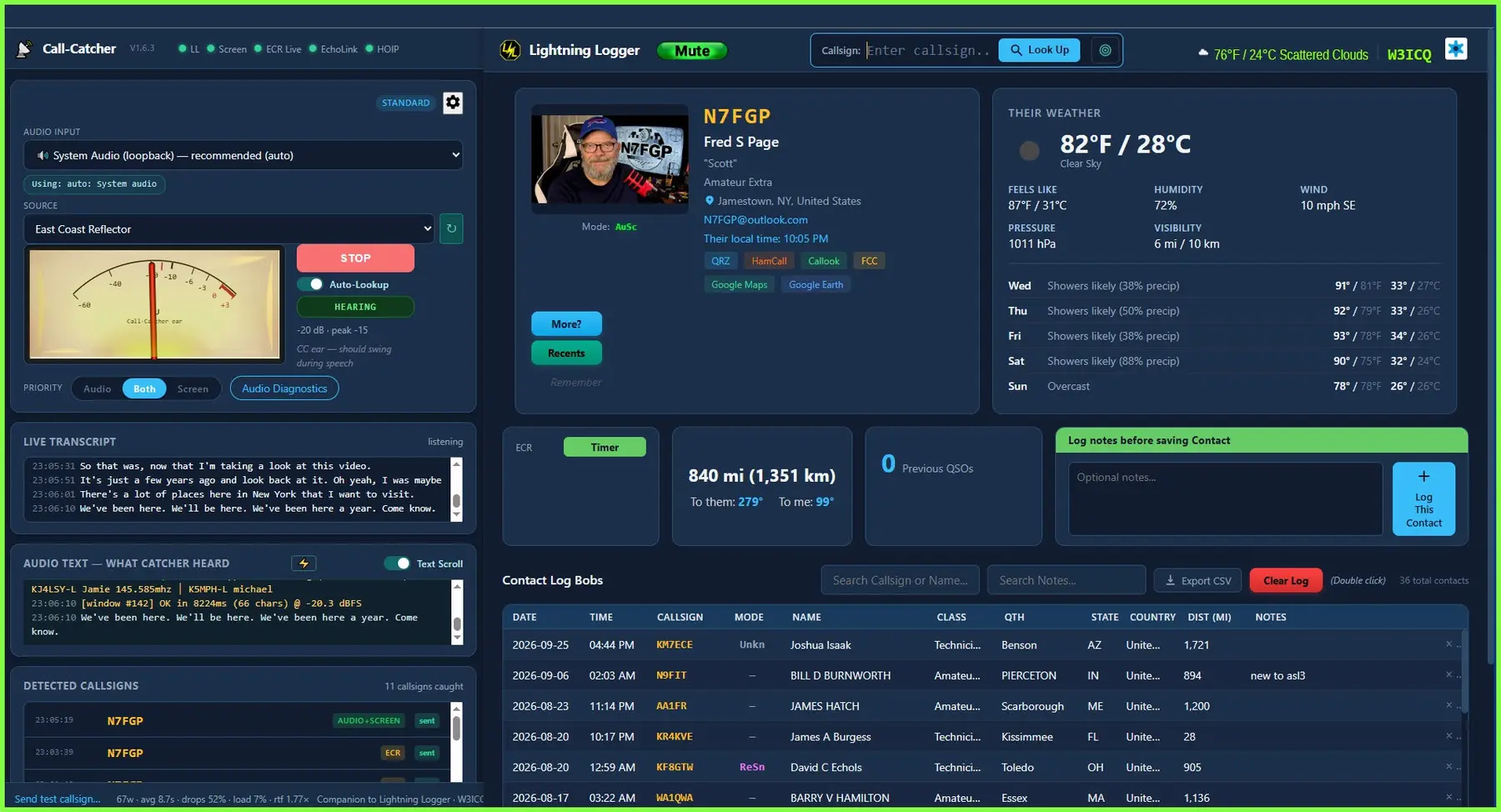
Two applications · one operating flow
Call-Catcher listens to selected computer audio, identifies likely callsigns, and passes accepted detections to Lightning Logger. Review captured callsigns at your convenience without worrying that one will be lost while the QSO moves on.
Call-Catcher listens to selected computer audio and identifies likely amateur-radio callsigns while the conversation continues.
Accepted callsigns open fast access to operator information instead of repeated manual QRZ searches.
Available photos, location, local time, and weather provide natural ways to move beyond a signal report.
A searchable local contact history and personal notes help you recognize returning operators and resume earlier conversations.
The real purpose
Whether you are joining a net or enjoying a relaxed chat, the details stay handy while you focus on the operator—not the software.
Project demonstration
The demonstration shows callsign capture, operator lookup, and the choice to log—or not log—the QSO.
Program downloads
Each download includes the current Quick-Start and User Manuals. Extract the ZIP before running an installer or launcher.
Extracts likely callsigns from selected audio or video streams and passes accepted detections to Lightning Logger.
Download, Extract All, then double-click the installer. DownloadPresents ham-radio information for the current caller and lets you view or log the QSO with only a few clicks.
Download, Extract All, then double-click the installer. DownloadStarts and arranges Lightning Logger, Call-Catcher, ECR Listen Live, and the ECR Hub Monitor on your desktop.
Use after configuring Lightning Logger and Call-Catcher. Unzip it and place the small EXE on your desktop. DownloadBefore you begin
Install and configure Call-Catcher and Lightning Logger before using OneButton Start. Keep a recoverable backup of your local contact log and personal notes.
Review every installation checkpoint and maintain a recoverable backup. Any third-party software installed or used with this package remains subject to its own license and terms.